Timeline Panel

Markup: {{timeline}}

Quick start

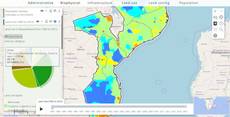
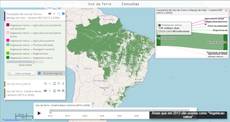
The example below, running in the Mappia calculator - click it to run it live. Full-size picture

  1. Run it

    Click the picture: the map opens right here and runs the example. Nothing is saved, and nothing to install.

  2. Try it
    • Press play in the panel at the bottom of the map: land use steps through 1992, 2000, 2008 and 2015.
    • Drag the slider’s main handle to 2008: the map switches to the 2008 land use.
    • Press Hide timeline in the layer panel: the bottom panel goes away. Press it again to bring it back.
  3. Make it yours

    Copy the query, change it - the key parameters are below - and run it again in the playground, or paste it into the Mappia editor to save it as your map.

Key parameters

ParameterExampleWhat it does
steps[[1992, "land_use_1992_2015_1"], [2000, "land_use_1992_2015_9"], [2015, "land_use_1992_2015_24"]]One [key, "style_name"] pair per step. The key labels the step; the style is what the map shows.
nextStepInterval1500Milliseconds each step stays on screen while playing, counted after its map has loaded. Default 2100.
idland_use_yearsNames the current step for your code, inputs.id["land_use_years"], and the timeline button, Ext.getCmp("land_use_years").
preloadTilestrueLoads the tiles of the next steps in advance, for smoother playback.
renderHiddentrueStarts with the bottom panel hidden. Users open it with the timeline button in the layer panel.
onPlayToggleonPlayFunction called before play or stop starts. It must return a truthy value; a falsy one cancels the click.

Every parameter, with its type and default, is in the reference at the end of this page.

Complete example

The query 16 lines · runs as is
// Timeline: each step pairs a value with a style of the layer's map; playing the timeline
// switches the style, and the input holds the current step's value.
[
  {
    title: "Land use 1992 - 2015",
    name: "CSR:land_use_1992_2015",
    source: "calculate",
    opacity: 0.85,
    visibility: true,
    paramsButtonConfig: [{ type: "query", pressed: true }],
    descriptionHtml:
      "{{timeline|id=land_use_years|nextStepInterval=1500" +
      '|steps=[[1992, "land_use_1992_2015_1"], [2000, "land_use_1992_2015_9"], ' +
      '[2008, "land_use_1992_2015_17"], [2015, "land_use_1992_2015_24"]]}}',
  },
];

Customize it

What you get

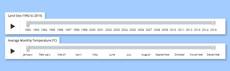
The tag renders a Show/Hide timeline button in the layer panel. The timeline itself is a panel at the bottom of the map, with a play button and a slider that has one stop per step. The panel only shows while its layer is visible. The map covers whatever area its maps cover: the example only shows Mozambique because that is where its land-use maps exist.

Use the current step in your code

inputs.id[ID] holds the key of the current step, as text ("1992", not 1992). Every step triggers a recalculation of the layer, after the step’s style is applied, so beforeCalc sees each new value:

beforeCalc: function (inputs) {
  var year = parseInt(inputs.id["land_use_years"], 10);   // "1992" -> 1992
  ExtjsUtils.ALERTIFY.log("Showing " + year);
},

Inside expression, read the step by position (inputs[0] for the first input widget) and convert it too.

Switch maps, not only styles

A step can also change the map itself: give {style, name} instead of the style name, as in [["2010", {style: "s2010", name: "CSR:my_map_2010"}]].

Control it from code

Ext.getCmp(id) is the button; getTimeline() gives you the panel:

var timeline = Ext.getCmp("land_use_years").getTimeline();
timeline.updateMainThumbValue(2);                 // jump to the third step
if (!timeline.playing) timeline.startAnimationStep();
timeline.stopAnimation();
timeline.setSteps({ 2000: "land_use_1992_2015_9", 2015: "land_use_1992_2015_24" });

getValue() returns the current key, nextAnimationStep() advances one step, and setDesiredVisibility(false) hides the panel.

Pitfalls

  • Each style in steps must be one the map is published with: the map name without its namespace, plus _ and an index (land_use_1992_2015_9).
  • Steps are stored by key. A repeated key keeps only its last style, and whole-number keys always play in ascending order.
  • onPlayToggle must return a truthy value. A function that returns nothing cancels play.
  • showTimelineButton and timelineConfig written on the layer do nothing. Configure the timeline with the tag’s own parameters.
Real maps that use it

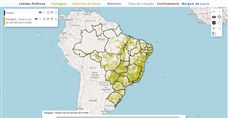
Simple Timeline Example

Simple Timeline Example

Simple Timeline Example

BrasilPec - Beef cattle intensification scenarios

BrasilPec - Beef cattle intensification scenarios

Map publishing customization

Map publishing customization

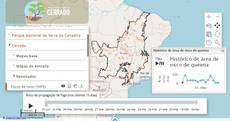
Fip Cerrado project

Fip Cerrado project

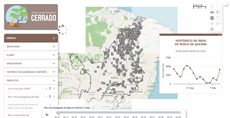
FIP Cerrado - Fire monitoring (current map)

FIP Cerrado - Fire monitoring (current map)

Mitigation option project

Mitigation option project

SimAmazoniaINFRA - Deforestation and CO2 scenarios

SimAmazoniaINFRA - Deforestation and CO2 scenarios

Reference: every parameter

Generated from the platform source. Every entry, searchable, is in the API reference; the raw data is api.json. Open an entry for its description, parameters and example; # links to it.

timeline · scenarios over time (input)

Timeline31 entries

Written in a layer's descriptionHtml as {{timeline|parameter=value|...}}

Display a spatial scenarios changes in a timeline.
View the complete Timeline API here.

fieldLabel

String# Defines a label for the Timeline.

Defines a label for the Timeline. It will be shown at the left of the button to hide the tiemline, by default.

|fieldLabel=This is the field label|

getCurrentLayerStyle

function() : String# Returns the WMS style currently applied to the layer (layer.params.STYLES), or an empty string for the default style.

Returns the WMS style currently applied to the layer (layer.params.STYLES), or an empty string for the default style.

Returns The active style name.

var style = Ext.getCmp('years_tl').getTimeline().getCurrentLayerStyle();

getDesiredVisibility

function() : Boolean# Returns the visibility the timeline has, or will have when its layer becomes visible: true may be returned while the panel is actually hidden because the layer is hidden.

Returns the visibility the timeline has, or will have when its layer becomes visible: true may be returned while the panel is actually hidden because the layer is hidden.

Returns true when the timeline is (or will be) shown together with the layer.

var shown = Ext.getCmp('years_tl').getTimeline().getDesiredVisibility();

getMainThumb

function() : Ext.slider.Thumb# Returns the main (middle) thumb of the slider — the one that selects the current step; its value is the 0-based step index.

Returns the main (middle) thumb of the slider — the one that selects the current step; its value is the 0-based step index. The outer thumbs (thumbs[0], thumbs[2]) bound the animation range.

Returns The main thumb; read the step index from .value.

var stepIndex = Ext.getCmp('years_tl').getTimeline().getMainThumb().value;

getMaxThumbValue

function() : Number# Returns the position of the right (max) thumb: the last step index the animation reaches.

Returns the position of the right (max) thumb: the last step index the animation reaches.

Returns 0-based step index of the max thumb.

var last = Ext.getCmp('years_tl').getTimeline().getMaxThumbValue();

getMinThumbValue

function() : Number# Returns the position of the left (min) thumb: the step index the animation restarts from.

Returns the position of the left (min) thumb: the step index the animation restarts from.

Returns 0-based step index of the min thumb.

var first = Ext.getCmp('years_tl').getTimeline().getMinThumbValue();

getStyleFromValue

function(value) : String|Object|undefined# Returns the style of a step key or, when the key has no style of its own, the style of the nearest previous key (numeric keys are compared as numbers, text keys by position in steps).

Returns the style of a step key or, when the key has no style of its own, the style of the nearest previous key (numeric keys are compared as numbers, text keys by position in steps).

value String|Number
A step key.

Returns The style (name or {style, name} object), or undefined when no previous step has one.

var style = Ext.getCmp('years_tl').getTimeline().getStyleFromValue('2014');

getTimeline

function() : GeoExt.TimelinePanel# Returns the timeline panel driven by this button.

Returns the timeline panel driven by this button. The markup id identifies the button, so this is the way to reach the panel methods (getValue, updateMainThumbValue, startAnimationStep, setSteps...).

Returns The timeline panel (null after the button was destroyed).

var timeline = Ext.getCmp('years_tl').getTimeline();
timeline.updateMainThumbValue(0); // first step

getValue

function() : String# Returns the key of the step currently selected by the main thumb (the same value the layer receives in inputs.id[ID]).

Returns the key of the step currently selected by the main thumb (the same value the layer receives in inputs.id[ID]).

Returns The current step key (first element of the steps entry).

var year = Ext.getCmp('years_tl').getTimeline().getValue(); // '2010'

getValueFromStyle

function(style) : Number# Returns the step key whose style is the given one (the last match when several steps share a style), or the first step key when the style is empty or unknown.

Returns the step key whose style is the given one (the last match when several steps share a style), or the first step key when the style is empty or unknown. The key is returned through parseInt, so it is meaningful for numeric keys only (text keys give NaN).

style String
A style name as used in steps.

Returns The numeric step key.

var year = Ext.getCmp('years_tl').getTimeline().getValueFromStyle('style_2010'); // 2010

hidden

Boolean= false# Set true to hide the "Show/Hide timeline" button rendered in the layer description (the standard Ext hidden config, so Ext.getCmp(id).show() reveals it).

Set true to hide the "Show/Hide timeline" button rendered in the layer description (the standard Ext hidden config, so Ext.getCmp(id).show() reveals it). The timeline panel itself is still created and its initial visibility follows renderHidden; use it when the timeline is driven by a paramsButtonConfig button or by code instead. Any other Ext.Button config is passed through.

|hidden=true|

hideLabel

Boolean= false# Defines if the label of the timeline should be displayed.

Defines if the label of the timeline should be displayed. Set true to hide the label, false to show it.

|hideLabel=true|

id

String# Defines the id to identify the object.

Defines the id to identify the object. It is the key used in inputs.id[ID] and the id of the show/hide button component: Ext.getCmp(id) returns the button and Ext.getCmp(id).getTimeline() the timeline panel (see the methods listed in this group).

|id=exemple_timeline|

nextAnimationStep

function()# Advances the timeline one step (main thumb + 1), applying the style of the new step to the layer and firing change; does nothing when the main thumb is already at the max thumb.

Advances the timeline one step (main thumb + 1), applying the style of the new step to the layer and firing change; does nothing when the main thumb is already at the max thumb. Useful for a custom "next" button.

Ext.getCmp('years_tl').getTimeline().nextAnimationStep();

nextStepInterval

Number= 2100# Defines the duration of the interval between steps of the timeline in milliseconds.

Defines the duration of the interval between steps of the timeline in milliseconds.

|nextStepInterval=1000|

onPlayToggle

function# Defines the callback function called when the play/stop button is toggled, BEFORE the animation starts or stops.

Defines the callback function called when the play/stop button is toggled, BEFORE the animation starts or stops. It must return a truthy value: returning false/nothing cancels the start/stop (use it as a veto, e.g. while data is loading). pressed is true when the animation is about to start.

The value is resolved as a key of the layer functions object, then as a global function with that name, then as inline function text (function(...){...}; a plain statement body also works and returns true).

pressed Boolean
True if the button was pressed (animation about to start), False otherwise.
layer Object
The layer associated to this timeline.
timeline Object
The timeline panel.
playBtn Object
The play/stop button.
|onPlayToggle=onPlayToggle|
|onPlayToggle = function (pressed, layer, timeline, playBtn) {
     console.log("The timeline is about to " + (pressed ? "start" : "stop"));
     return true; // required, a falsy return cancels the toggle
}|

playing

Boolean= false# true while the animation is running (between play and stop/end).

true while the animation is running (between play and stop/end). Read it on the panel (Ext.getCmp(id).getTimeline().playing) to know whether to call startAnimationStep() or stopAnimation().

if (!Ext.getCmp('years_tl').getTimeline().playing) Ext.getCmp('years_tl').getTimeline().startAnimationStep();

preloadTiles

Boolean= false# Defines if the timeline should preload the tiles of the next steps to get smoother transitions.

Defines if the timeline should preload the tiles of the next steps to get smoother transitions. Set it true to preload, false otherwise.

|preloadTiles = true|

renderHidden

Boolean= false# Defines the timeline initial visibility.

Defines the timeline initial visibility. Set it true to start with the timeline hidden, false otherwise.

|renderHidden = true|

setCurrentLayerStyle

function(style)# Applies a style to the layer the way a step does: a style name, or a {style, name} object that also switches the WMS layer name (the object form of a steps entry).

Applies a style to the layer the way a step does: a style name, or a {style, name} object that also switches the WMS layer name (the object form of a steps entry). For a composed layer the first inner layer is updated and the legend is rebuilt. The slider is not moved (use updateMainThumbValue).

style String|Object
Style name ('' for the default) or {style: 'name', name: 'CSR:layer'}.
Ext.getCmp('years_tl').getTimeline().setCurrentLayerStyle({style: 'estados_2', name: 'CSR:estados'});

setDesiredVisibility

function(visible) : GeoExt.TimelinePanel# Shows or hides the timeline panel while keeping it consistent with the layer: when the layer is hidden the panel stays hidden and the requested state is remembered, to be applied as soon as the layer becomes visible.

Shows or hides the timeline panel while keeping it consistent with the layer: when the layer is hidden the panel stays hidden and the requested state is remembered, to be applied as soon as the layer becomes visible. Prefer it over show()/hide(); the show/hide button follows the panel automatically.

visible Boolean
true to show the timeline (once the layer is visible), false to hide it.

Returns The panel, for chaining.

Ext.getCmp('years_tl').getTimeline().setDesiredVisibility(true);

setMaxThumbValue

function(value)# Moves the right (max) thumb, limiting the animation to the steps up to that index (no animation, no change event).

Moves the right (max) thumb, limiting the animation to the steps up to that index (no animation, no change event).

value Number
0-based step index for the max thumb.
Ext.getCmp('years_tl').getTimeline().setMaxThumbValue(5);

setMinThumbValue

function(value)# Moves the left (min) thumb, making the animation start from that step index (no animation, no change event).

Moves the left (min) thumb, making the animation start from that step index (no animation, no change event).

value Number
0-based step index for the min thumb.
Ext.getCmp('years_tl').getTimeline().setMinThumbValue(2);

setSteps

function(steps)# Replaces the steps of the timeline and redraws it (labels, slider range and current step).

Replaces the steps of the timeline and redraws it (labels, slider range and current step). Unlike the markup steps parameter this takes the already-built object: keys are the step labels, values the style name or a {style, name} object. Use it to change the available periods at runtime (e.g. after a combobox selection).

steps Object
Map of step key to style: {'1990': 'style_1990', '2000': {style: 's2000', name: 'CSR:layer'}}.
Ext.getCmp('years_tl').getTimeline().setSteps({2000: 'style_2000', 2010: 'style_2010'});

startAnimationStep

function()# Starts (or resumes) the animation from the current step: each step is shown for nextStepInterval milliseconds after the layer finished loading it, up to the max thumb, where the animation stops by itself.

Starts (or resumes) the animation from the current step: each step is shown for nextStepInterval milliseconds after the layer finished loading it, up to the max thumb, where the animation stops by itself. When the main thumb is already at the max thumb it restarts from the min thumb. Same as pressing the play button, except that onPlayToggle is not consulted.

Ext.getCmp('years_tl').getTimeline().startAnimationStep();

steps

Array.<Array.<(String|Object)>># Defines the timeline change steps.

Defines the timeline change steps.

|steps=[["step_0"], ["step_1"], ["step_2"]]|
|steps=[['Nome', {style:"step_0_style",name:"CSR:estados"}], ['Região', {style:"step_1_style",name:"CSR:estados"}], ['Geocódigo', {style:"step_2_style",name:"CSR:estados"}]]|
|steps=[['Nome', 'step_0'], ['Região', 'step_1'], ['Geocódigo', 'step_2']]|
|steps=[{1990: "layer_style0", 1991: "layer_style1", 1992: "layer_style2"}, 1993: "layer_style3"}]|

stopAnimation

function()# Stops the running animation (cancels the pending step timer, releases the play button and hides the slider tip).

Stops the running animation (cancels the pending step timer, releases the play button and hides the slider tip). The current step is kept. Safe to call when nothing is playing.

Ext.getCmp('years_tl').getTimeline().stopAnimation();

toggleTimelineVisibility

function(forceState)# Shows or hides the timeline panel from code — what clicking the button does.

Shows or hides the timeline panel from code — what clicking the button does. Without an argument the current (desired) visibility is inverted. The panel only appears while the layer is visible; the requested state is remembered otherwise (see setDesiredVisibility).

forceState Boolean
true to show the timeline, false to hide it; omit to invert.
Ext.getCmp('years_tl').toggleTimelineVisibility(true);

updateLayer

function(value)# Applies to the layer the style of a step key, without moving the slider.

Applies to the layer the style of a step key, without moving the slider. When the key has no step of its own the style of the nearest previous numeric key is used (steps {2010: "s1", 2015: "s2"} and value 2014 keep/apply "s1"); nothing happens when that style is already active. Called by the slider on every change; call it yourself to preview a step, then updateMainThumbValue() to sync the thumb.

value String|Number
A step key (first element of a steps entry).
Ext.getCmp('years_tl').getTimeline().updateLayer('2010');

updateMainThumbValue

function(value)# Moves the main thumb to a step index (0-based position in steps), applying that step's style to the layer and firing change — the programmatic way to select a step.

Moves the main thumb to a step index (0-based position in steps), applying that step's style to the layer and firing change — the programmatic way to select a step. Without an argument it re-syncs the thumb with the layer's current style using getValueFromStyle (used when another tool changes the style). The min/max thumbs are pushed outwards when the index falls outside the current range.

value Number
Step index; omit to sync the thumb with the layer's current style.
Ext.getCmp('years_tl').getTimeline().updateMainThumbValue(2); // third step

value

String# Value stored in inputs.id[ID] (and inputs[i]): the key of the current step — the first element of the selected steps entry (e.g. "1990" or "January"), as a string.

Value stored in inputs.id[ID] (and inputs[i]): the key of the current step — the first element of the selected steps entry (e.g. "1990" or "January"), as a string. It changes whenever the main thumb moves (drag, click or animation) and the layer recalculates on the widget change event, after the layer style of the step was applied. The same change event is fired on the button (Ext.getCmp(id).on('change', function(button, value) {...})).

{{timeline|id=years_tl|nextStepInterval=1500|steps=[['1990', 'style_1990'], ['2000', 'style_2000'], ['2010', 'style_2010']]}}
beforeCalc: function(inputs) {
    var year = parseInt(inputs.id['years_tl'], 10);
}